Technology
Troubleshooting Common Render Errors: A Guide for 3D Artists

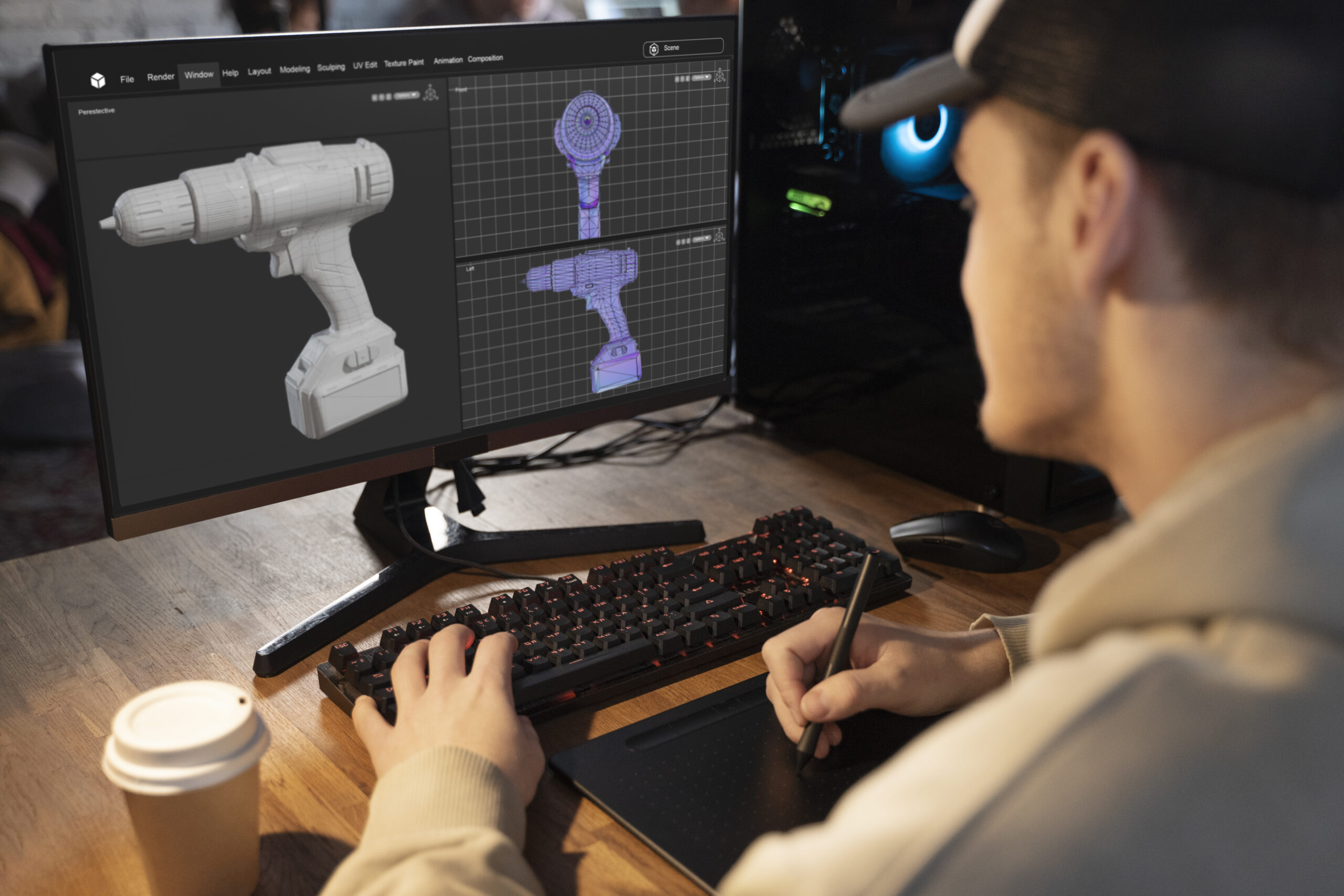
The “Render Failed” notification is a frustrating obstacle in digital art. For 3D artists, a technical wall, like a hard crash or corrupted image, after hours of work, threatens deadlines. However, these setbacks shouldn’t halt progress. Shifting focus from panic to practical problem-solving allows you to quickly return to creating.
By understanding root causes and mastering troubleshooting within your 3D rendering and animation pipeline, you can efficiently diagnose these errors.
Fixing Lighting and Artifact Problems
Sometimes the render completes, but the result is unusable due to visual glitches. These are usually tweaking issues rather than fatal errors.
- Eliminating “Fireflies”: Bright, white pixels in dark areas are often caused by intense light sources. Clamping your indirect light values helps smooth these out without dimming the scene.
- Material and Texture Errors: If an object renders as bright pink or black, it indicates a missing file or broken shader. Verify your material links and ensure UV maps are not overlapping to prevent z-fighting (flickering).
- Optimizing Global Illumination: Blotchy shadows often result from low GI settings. Increasing your sample count will smooth out the lighting, though it will increase render times.
Resolving Software and Scene Crashes
The most disruptive errors are those that close your application entirely. These are frequently tied to hardware limitations and memory management.
- Memory and GPU Overload: If your scene exceeds available VRAM, the engine will likely crash. Optimize geometry by reducing polygon counts on background objects or using proxy placeholders that only load high-resolution details during the actual render.
- Scene Hygiene: Disorganized file paths often lead to freezes. If your software searches for a texture on a disconnected drive, it may hang. Always use “collect files” or “pack project” features to consolidate assets into a single local directory.
- Debugging Simulations: Complex physics simulations are computationally heavy. If a crash occurs during a specific frame, try “baking” the simulation cache to a disk before rendering, rather than letting the software calculate physics on the fly.
Export and Output Issues
The final hurdle is ensuring the file you save matches the project requirements.
- Resolution Settings: A common mistake is rendering a 1080p frame when the brief requested 4K. Always double-check output dimensions against client specs before hitting render.
- Missing Frames: In animation, dropping a frame ruins motion fluidity. Ensure your frame rate (FPS) matches your timeline exactly and that files aren’t being overwritten.
- Format Selection: For final delivery, use uncompressed formats like EXR or TIFF to retain data for post-production. Only compress to MP4 or JPG for final web uploads.
Workflow Best Practices
The best way to fix an error is to prevent it. A robust workflow is your safety net against data loss.
- Incremental Saving: Never save over your only file. Use incremental saves (Project_v01, Project_v02) so you can roll back to a previous version if corruption occurs.
- Test Renders: Don’t wait for the final sequence to check for errors. Render single low-resolution frames periodically to catch lighting or texture issues early.
- Farm Preparation: If using a render farm, ensure plugins match the farm’s versions and assets are strictly relative-linked to avoid missing paths.
Start using 3D rendering software and animation today
Troubleshooting is a skill as vital as lighting or modeling. By approaching errors with a systematic checklist, you transform from an artist who hopes for the best into a professional who guarantees results.
Ready to take your skills to the next level? Start using 3D rendering software and animation today to build complex worlds.


-

 Blog1 month ago
Simpcit6: Redefining Simplicity in a Complex World
-
 Technology5 months ago
YourAssistantLive com: The Future of Smart Digital Assistance
-

 food6 months ago
Calamariere: How to Perfectly Prepare at Home
-

 Blog6 months ago
Baddi Hub: An Emerging Industrial and Business Hotspot
-

 Health4 months ago
Nerovet AI Dentistry: Enhancing Patient Experience and Treatment Outcomes Dental Care
-

 Technology1 month ago
Voomixi com: The Digital Platform Redefining Online Interaction
-

 Technology5 months ago
Anonibs: The Trending Anonymous Image Board Platform
-

 HomeImprovment4 months ago
Acamento: How Finishing Techniques Define a Building’s Style